Re-introducing CardRunner
Background
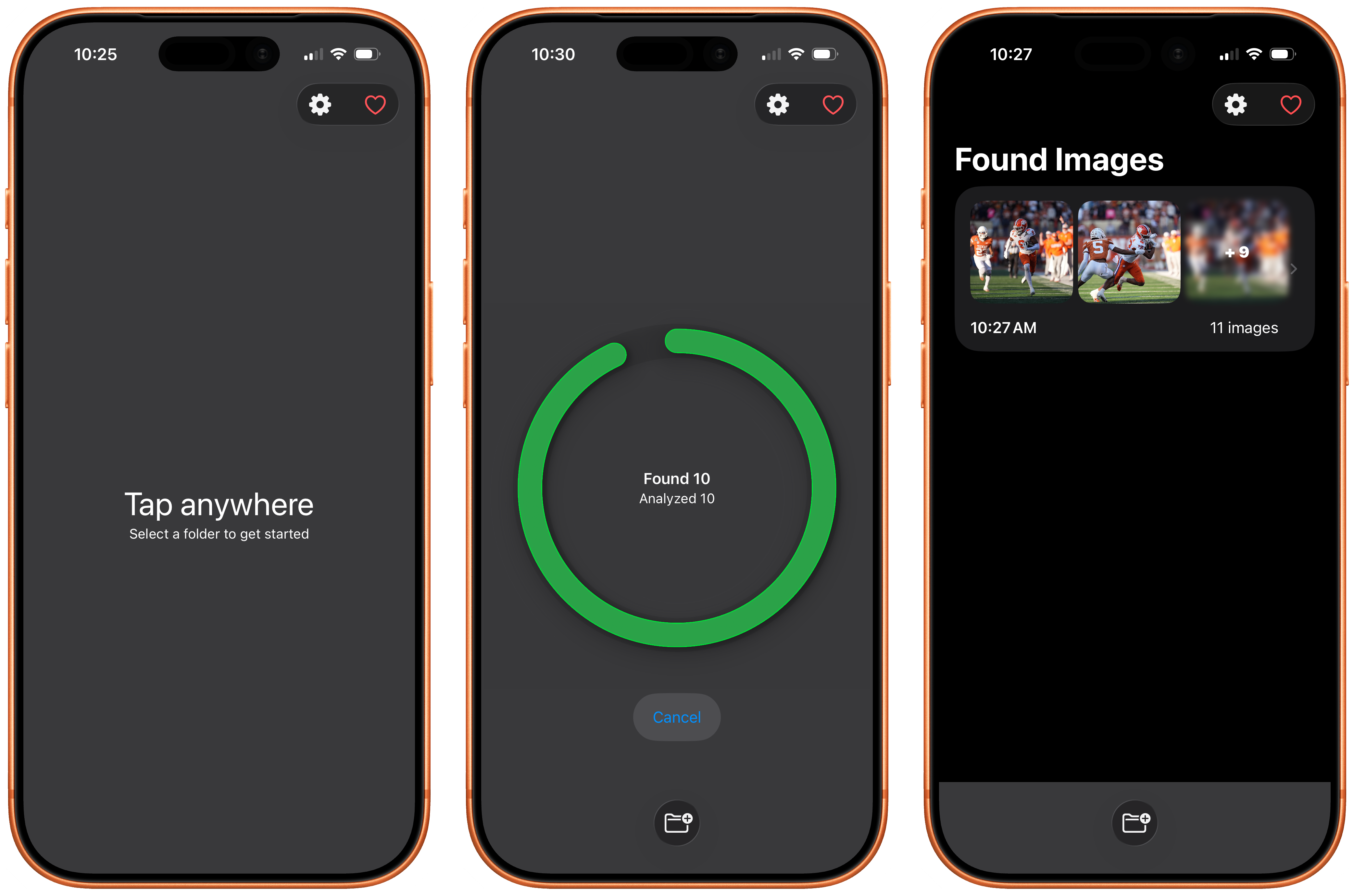
CardRunner has been a pet project for some time. Long story short, I wanted a way to get photos from the sideline to my phone ASAP - for review, for posting to socials, or for sending to my editor.
Historically, after a big play I would frantically look at my shots in-camera, make sure I got the shot, and then sprint down the sidelines back to the photo workroom. Then I'd insert my card, fire up Adobe Bridge (since it's faster than Lightroom), and desperately hunt for the shot amongst hundreds or thousands of other thumbnails. Then I'd grab it, and try to send to my editor it via iMessage, or drop it in a shared Box folder, or tweet it out (RIP Twitter).
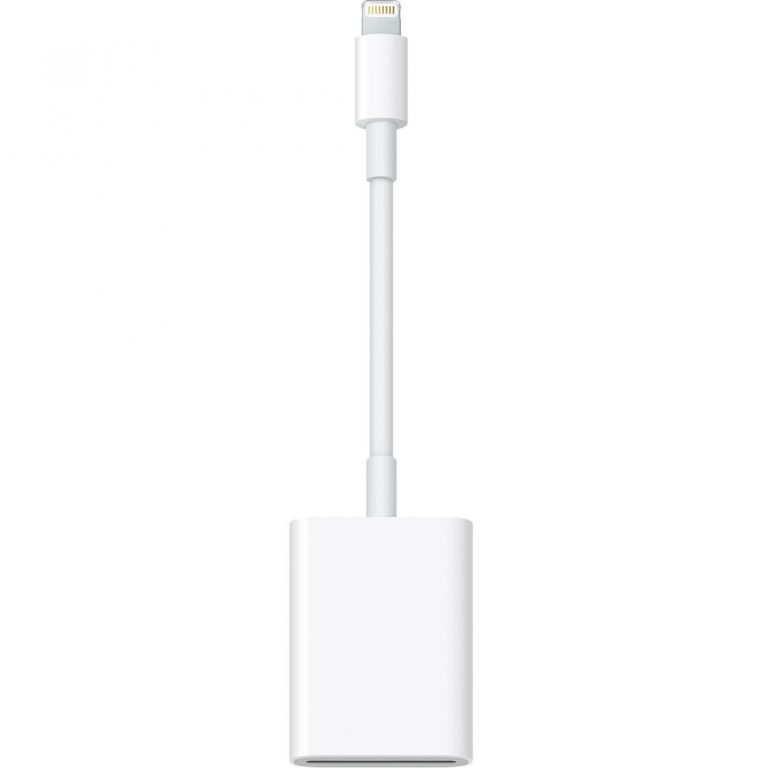
This process was slow. I would often leave my camera sitting on the sideline and ask a friend to keep an eye on it so I could move quicker. Still, it was brutal. This is still how many of my colleagues on the sidelines work today. I also used the "Apple Lightning to SD Card Camera Reader" shortly after it launched in 2015. It would add a special "Import" tab to the Apple Photos app when you connected an SD card to your phone. This beat having to run to the photo workroom, but the USB 2.0 speeds over lightning, plus the tiny thumbnails made it less than ideal, to say the least.
So I sought out my own path. I had been dabbling in SwiftUI, and I thought if I could build something better than what Apple has, something more purpose-built for this task, it would make my life easier. It would mean that I could focus more on shooting football and less on running or searching for a needle in a haystack of frames.
Back in 2024, I released CardRunner on the App Store. It had some rough edges, but got the job done. I got a few customers, got some good reviews (and a few bad ones), and then it largely sat dormant. After using it this past football season, I got frustrated with some issues with it, so I planned to spend this offseason making it better. Along the way, I had some really good luck, and built some additional features that I think really take it to the next level, and integrate it into a bigger picture of how photographers can level up their workflows.
CardRunner 3.2
The app had been able to surface selected images (rated or protected in-camera). It did it sequentially, which could be slow. I made a big push to make that faster, and now it is. But still I had to then grab the selects and do something with them to get them to my editor in-game: upload them to a shared Box account or send them as a text message. This slowed me down immensely, and some of my best shots never made it to the editor because of bad stadium cell reception. I was watching my phone's Box app upload more than the play on the field. Thus was born the idea for Photostream.
Photostream
The core idea is simple: the iPhone can receive the right images, and it usually has at least some kind of connection. So instead of making me babysit Box uploads or retrying failed text messages, I wanted CardRunner to send images directly to the editor. The editor creates a session, sends over a join code, and CardRunner takes care of the rest. (If you want to learn more about Photostream and the full workflow, check out photostream.platt.ing. I'll have another post about it soon.)
As images are imported, CardRunner uploads them and they show up for the editor in real time. The important part, though, is everything happening behind the scenes. Uploads are queued, retried automatically if the connection drops, and resumed when service comes back. Inside of CardRunner there is a dedicated queue view so you can see what's currently uploading, what's waiting, and what's been delivered to the editor. There is even a Live Activity so you can glance down and see your progress without diving back into the app.
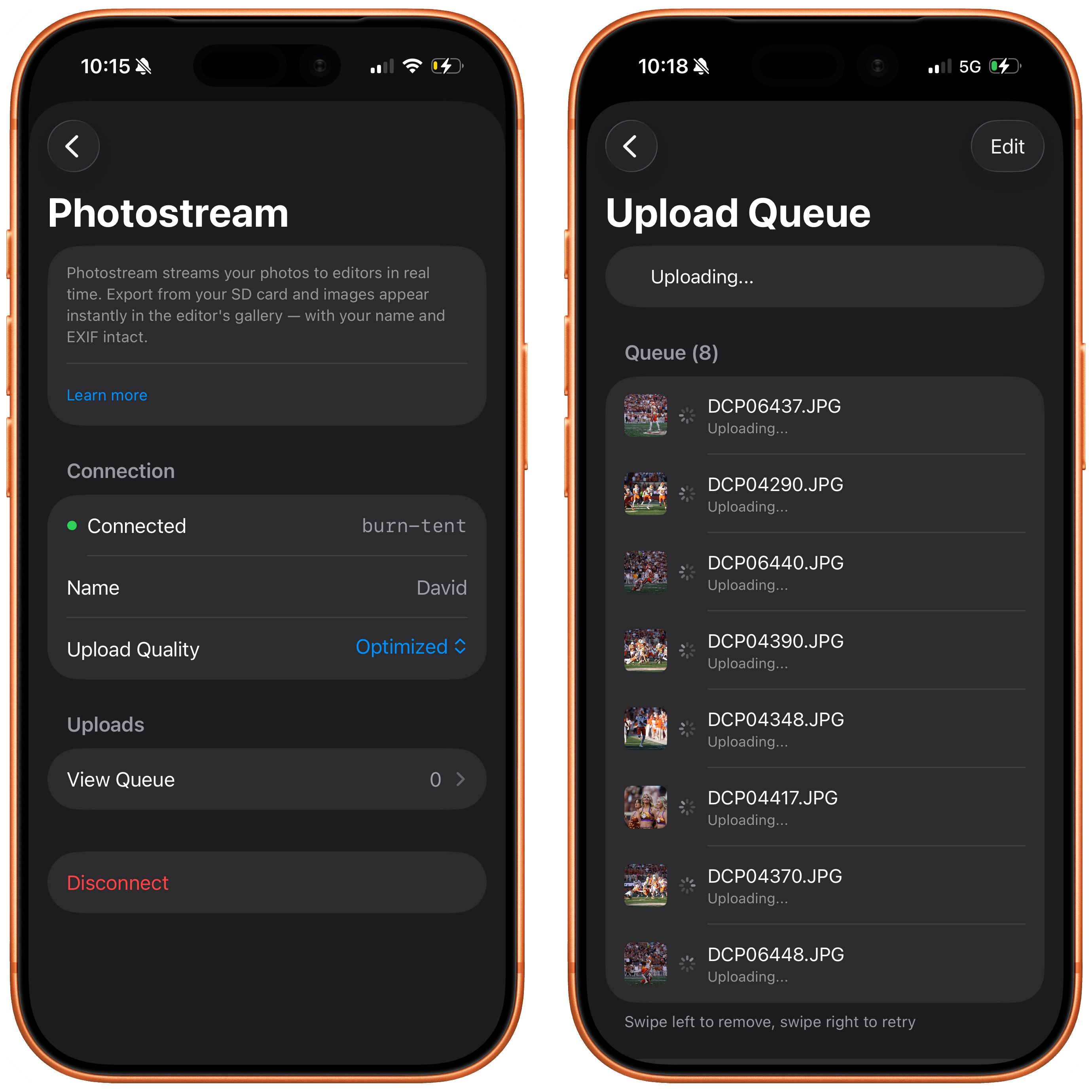
I also spent time making Photostream smarter about context, not just transport. CardRunner now sends along metadata like the photographer's name, camera, lens, ISO, aperture, shutter speed, and focal length. That means the editor is not just getting a JPEG dropped into a folder. They are getting something with useful context attached, which becomes even more important when multiple photographers are sending images to the editor from the same event.
That is really the whole point of this release. Not just getting photos onto the phone faster, but getting them off the phone and into the right hands with less friction. Less babysitting progress bars, less wondering whether the upload actually went through, and more time paying attention to the game in front of me.
Location
Cameras have the ability to tag location in images, but usually only if you are using the manufacturer's dongle or their tethered app. I wanted something simpler. CardRunner can now add your current location to images as they are imported, which means you can preserve that context without having to change anything about how you shoot. It is a small feature, but a useful one, especially if you are bouncing between venues, fields, or assignments and want a cleaner record later on of where an image actually came from.
Export full size or optimized
Sometimes you want the full-size file, period. Other times you just need something fast: an image for social, a quick send to an editor, or something that will make it through a rough cellular connection without drama. CardRunner now lets you decide which one you need. You can keep the full-quality original when that matters, or have the app generate a more optimized version when speed matters more. That sounds like a small switch, but it is one of those practical decisions that comes up constantly when you are working under pressure.
Download on the App Store Today
All in all, I am really excited about where CardRunner is heading. It started as a way to help me move faster on the sideline, and it is turning into something much bigger: a tool that helps photographers get the right images to the right people, faster and with less friction.
If you want more info, I have a bit more about it on the CardRunner app page.
If you want to check it out, you can download CardRunner on the App Store.